
You’ve probably seen hundreds of CAPTCHAs.
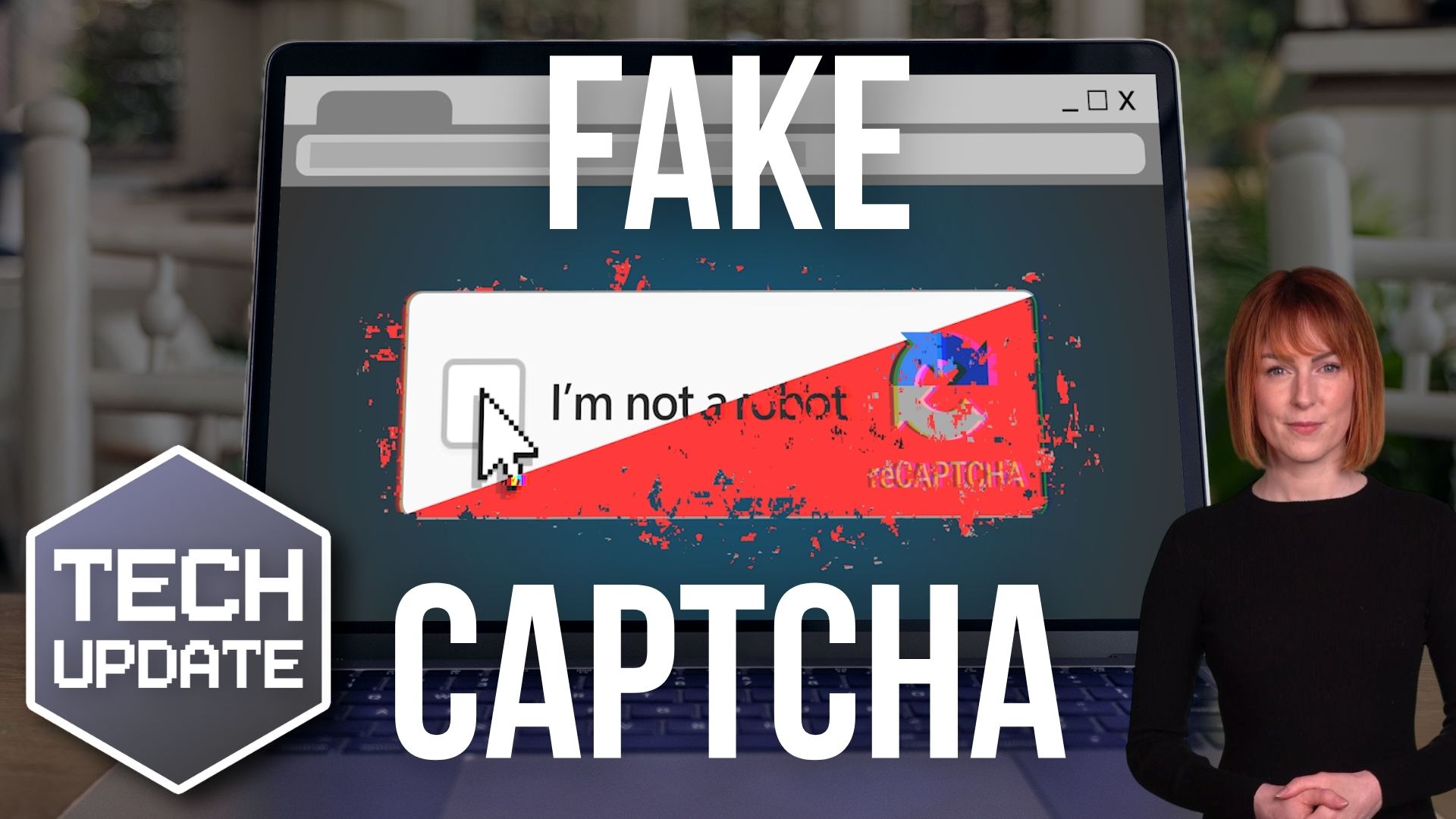
“Click here to prove you’re not a robot.”
You tick a box, select a few images, or complete a quick verification and carry on with what you were doing. It’s such a familiar part of using the internet that most of us barely give it a second thought.
And that’s exactly what scammers are exploiting.
A growing number of scams are using fake CAPTCHA pages to trick people into sending premium or international SMS messages, potentially leaving individuals or businesses with unexpected charges.
The scam is simple, convincing and, importantly, relies more on human behaviour than technical knowledge.
What Is a CAPTCHA?
A CAPTCHA is a security mechanism designed to distinguish humans from automated bots.
You may encounter one when logging into an account, submitting an online form or accessing a website. Common examples include ticking a box, identifying objects in images or completing a short challenge.
Legitimate CAPTCHA services are widely used across the internet. Google’s reCAPTCHA, for example, is designed to help websites distinguish between human users and automated software.
But scammers can copy the look and feel of these familiar verification processes.
And that’s where the problem starts.
How Does the Fake CAPTCHA Scam Work?
The exact approach can vary, but the basic process is usually straightforward.
You visit a website and are presented with what appears to be a normal CAPTCHA or security verification.
Instead of asking you to tick a box or identify images, however, you’re instructed to send a text message to confirm that you’re human.
The page may use familiar branding, security terminology or reassuring language to make the request appear legitimate.
You click the button.
Your phone’s messaging app opens, sometimes with a message already prepared for you.
All you have to do is press Send.
That is the point at which the scam can become expensive.
The message may be sent to an international or otherwise chargeable number. In some variants, the process can cause multiple messages to be sent, potentially resulting in significant charges.
The user may not realise anything unusual has happened because their phone has simply behaved as instructed.
Why Are Fake CAPTCHAs So Effective?
This scam works because it takes advantage of something security professionals call familiarity.
People are accustomed to CAPTCHAs.
When a website asks us to prove we’re human, we generally don’t stop to question why. We simply complete the challenge and continue.
Scammers take advantage of that routine behaviour.
There’s also a psychological element to the design. The page may look professional and may appear at a moment when you’re already expecting to complete a verification check.
You might have clicked a link, visited a website or been redirected after selecting an advert. By the time the fake CAPTCHA appears, you’re already in the mindset of “I just need to get through this verification.”
That makes it much easier to overlook an unusual instruction.
How Can You Spot a Fake CAPTCHA?
The most important warning sign is also the easiest to remember:
A CAPTCHA should not require you to send a text message.
If a supposed CAPTCHA asks you to open your messaging app and send an SMS, stop.
Don’t send the message.
Don’t enter any additional information.
Close the browser tab or navigate away from the page.
Other warning signs can include:
- A CAPTCHA that asks you to perform an unusual action.
- Instructions to send an SMS or make a telephone call.
- A request to download software or a browser extension as part of the verification.
- A page that suddenly redirects you somewhere unexpected.
- Urgent or threatening language telling you that you must complete the verification immediately.
- A website address that doesn’t match the organisation you expected to visit.
- Poor spelling, unusual wording or inconsistent branding.
- A page that prevents you from easily navigating backwards or closing it.
None of these signs alone necessarily proves that a website is malicious, but they should prompt you to stop and think.
How Do People End Up on Fake CAPTCHA Pages?
One of the more concerning aspects of these scams is that victims don’t necessarily have to deliberately visit a suspicious website.
Fake CAPTCHA pages can be encountered through malicious advertising, compromised websites, redirects and other forms of online traffic manipulation.
You might start by visiting a website that appears perfectly legitimate.
You click a link or advert.
You’re redirected.
And suddenly you’re looking at a CAPTCHA-style verification page.
Because the page appears to be part of the journey you were already taking, you may not question it.
This is one reason why security awareness remains so important. Not every dangerous interaction looks obviously dangerous.
What Should You Do If You Encounter One?
If you encounter a CAPTCHA asking you to send an SMS, treat it as suspicious.
Do not send the message.
Instead:
- Stop interacting with the page.
- Close the browser tab.
- If you arrived through an advert or suspicious link, don’t return to it.
- If you have already sent the message, contact your mobile provider and ask whether any chargeable or international SMS activity has occurred.
- Keep an eye on your mobile account for unexpected charges.
- If this happened on a company device, tell your IT team or managed service provider.
If you entered passwords or other sensitive information before recognising the scam, you should also report it to your IT or security team and consider changing the affected credentials.
For UK organisations and individuals, the National Cyber Security Centre (NCSC) provides further guidance on recognising and dealing with online scams and phishing.
You can also report suspected fraud and cybercrime through Action Fraud, the UK’s national reporting centre for fraud and cybercrime.
Don’t Rely on Technology Alone
The important lesson here isn’t simply “watch out for fake CAPTCHAs.”
It’s that attackers increasingly design scams around normal human behaviour.
They don’t necessarily need to exploit a complicated technical vulnerability. Sometimes, they just need to persuade someone to perform an action that appears routine.
That’s why cybersecurity awareness should be an ongoing part of your organisation’s security strategy.
Make sure employees know that it’s acceptable to stop when something doesn’t feel right.
A five-second pause can prevent a much bigger problem.
Consider giving your team simple rules they can remember:
Stop. Think. Check.
- Stop if a website asks you to do something unexpected.
- Think about whether the request makes sense.
- Check with your IT team if you’re unsure.
And when it comes to CAPTCHAs, there’s one particularly useful rule to remember:
If a CAPTCHA asks you to send a text message, don’t.
The Bottom Line
Fake CAPTCHAs are effective because they disguise a potentially costly action as something familiar and harmless.
The technology behind the scam may change, but the principle remains the same: make the victim believe they’re simply completing a normal online task.
Don’t let familiarity switch off your judgement.
If a CAPTCHA asks you to send an SMS, download something unexpected or take an unusual step to prove you’re human, stop and question it.
A little awareness now could save your business from an unexpected bill later.
Want to Strengthen Your Team’s Cybersecurity Awareness?
Technology is only one part of your organisation’s security. Your people need to know what threats look like and, just as importantly, what to do when something doesn’t look right.
We help businesses strengthen their cybersecurity through managed security, security awareness, technical controls and practical advice.
If you’d like to discuss how well protected your organisation is against scams like these, get in touch with our team.